Webflow Migration, is it worth it?
I migrated my site off Webflow and rebuilt it with Replit and Claude Code. The 50-hour build dropped to 15, but here's what broke along the way.
Short version: I migrated my site off Webflow and rebuilt it with Replit and Claude Code. It works. I wouldn't recommend it to most people yet. The build dropped from 50 hours to 15, but the 35 hours I "saved" came back as four broken deploys, one indexing disaster, and a Chromium path bug. Worth it for me. Probably not worth it for you. Here's what happened.
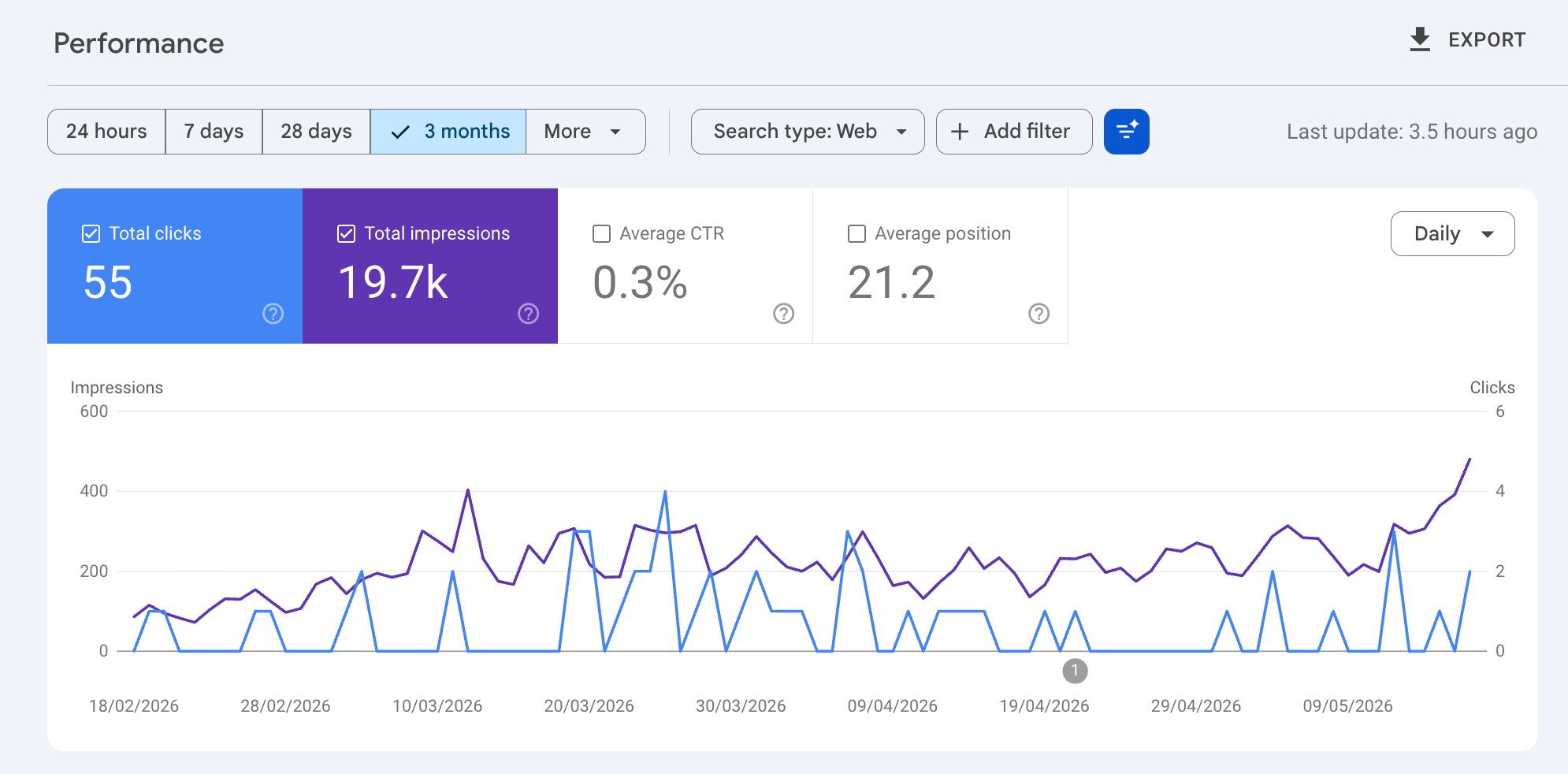
Why is Webflow slowing me down?
The first time I discovered Webflow, I was blown away.
I used to build websites by hand, writing CSS classes, switching to the browser, and watching my changes turn bright red because I forgot a comma. One missing character and the whole page broke.
With Webflow, I built websites and got visual feedback right away. I didn't care about syntax. Everything happened in the designer.
I could do more with Webflow than I could by writing code. It was faster, simpler, and I felt I could build anything.
This was 7 years ago.
My current challenges with Webflow
Webflow has been my go-to tool for years. When I built checklist-seo.com, I didn't hesitate. Webflow was the obvious pick.
But compared to how I now build my vibe-coded apps, Webflow feels slow. Three reasons.
Effort
The learning curve is steep. Not "learn web dev from scratch" steep, but still. Once you know about frameworks, variables, CMS, and components, you still have to build and maintain the site. None of that goes away. Updating a page template or a design tweak can take real time. Most of the time, I just leave it.
Rigidity
We all know it: Webflow is for marketing sites. And we've all tried to bolt on a booking system, a complex form, or a comments section.
Same outcome every time. You either pay for a third-party tool (Cal.com, Memberstack, Disqus) and patch it in, or you accept that what you imagined isn't going to work. With my vibe-coded apps, I describe what I want and the code shows up. No more "is there a Webflow component for this?" detours.
Price
Seven years ago, I was happy to pay Webflow to build and host my site.
Today, spending $240 a year on a visual builder I open every three months is harder to justify. The site is built. I'm not designing pages anymore, I'm fixing typos and updating one section a quarter. $240 a year for a text editor feels off.
Moving from Webflow: my process
Six steps, roughly in order.
1. First draft (Replit Design agent).
For checklist-seo.com, I started blank. Replit's Design agent gave me a few directions. One worked. Three iterations later, I had 80% of the design you see today. The Design agent only handles the surface. That's fine. Get the facade right, then move to the foundation.

2. Technical strategy session (Claude). Before writing any code, I spent time with Claude on a strategy session. I shared my goals, the current stack, the constraints, and dumped in all the Google Search Console data I had. Output: a 10-line prompt I could paste into the Replit agent.
I keep the plan and the execution in two separate tools. Otherwise they both default to "the simplest thing that compiles", which is rarely the best execution.
3. Core architecture (Replit agent).
I didn't have hard requirements on the stack. The good surprise: Replit went with a markdown-based content approach. Every piece of content on the site is a .md file. Easy to edit, flexible with tables, code, and quotes.
Ideally, for a simple site, I'd have gone with vanilla HTML, CSS, and JS. Replit picked React + Vite, which became a problem later (see the next section).
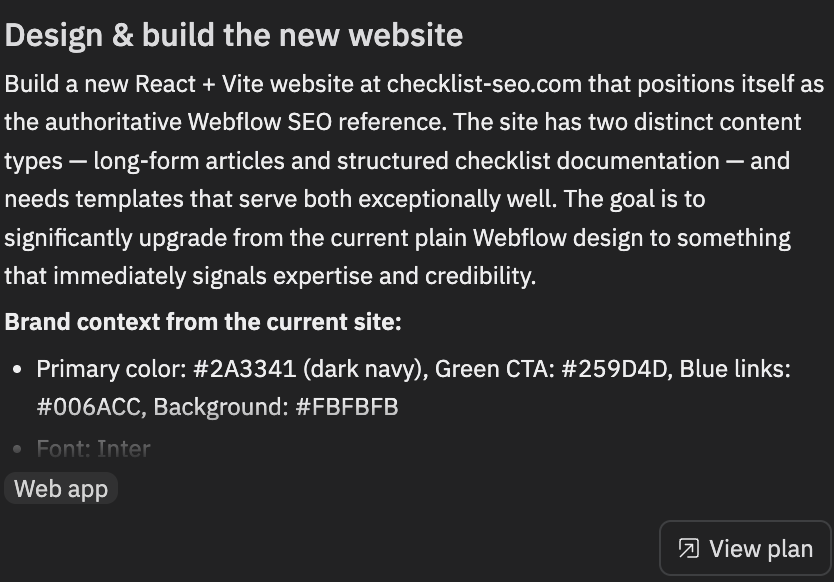
4. Content and asset migration. How do you move content out of Webflow? Export the CMS? Copy-paste? I didn't know either. So I let the Replit agent figure it out. 40 minutes, $10 in agent credits.
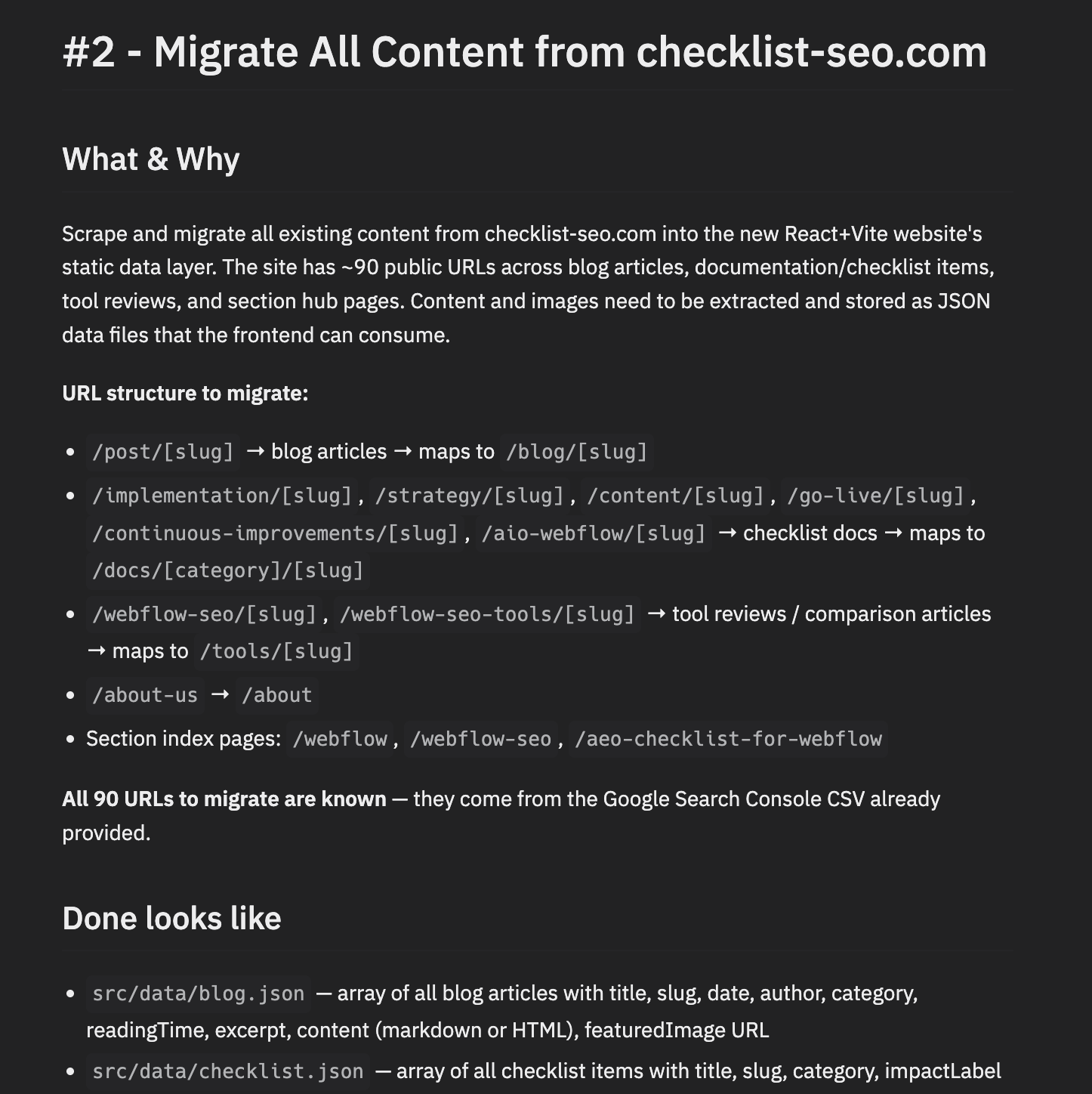
Two custom Node scripts (scrape-content.ts and update-content.ts) crawled every URL from my GSC export, pulled the HTML with CSS selectors, and serialized everything into static JSON files: checklist.json (178 items), articles.json, tools.json, seo-tools.json, webflow-seo-pages.json. No copy-paste. The scraped Markdown renders at runtime via react-markdown.
There's no translation step. Content is stored directly as Markdown strings inside the JSON: **bold**, ## headings, - bullets, links, all written as plain text. react-markdown renders it at display time.
For assets, minimal work. The profile photo (sofian-profile.jpg) dropped into artifacts/web/public/. The existing opengraph.jpg and favicon.svg carried over. Everything else is text in JSON.
One thing I had to explicitly ask: download all assets from the Webflow CDN. Otherwise the images would break the moment I unpublished the Webflow site.
5. Design polish (Claude Code + Impeccable).
Impeccable is my favorite Claude Code skill. I run /audit, then fix it all. Five minutes later the site looks good.
6. Deployment (Replit + Cloudflare). Replit handles hosting. All my sites live under one host, which keeps the mental overhead low. Cloudflare handles DNS and the domain.
The biggest pain: the SPA prerendering problem
If you take nothing else from this article, take this.
Replit picked the stack: React 19 + Vite, Tailwind v4, wouter for routing, react-helmet-async for meta tags. Standard monorepo template, optimized for Replit's tooling.
The problem: Google and AI crawlers see your pages as empty shells. When they crawl, they get:
<div id="root"></div>
No content. No rankings. The site exists but isn't indexed.
The fix is prerendering, generating real HTML files at build time with Puppeteer and @prerenderer/rollup-plugin. Sounds clean. It wasn't.
I wrote a full article on the SEO impact of vibe-coded apps: Why your vibe-coded app has no SEO traffic, and how to fix it.
The three problems that nearly killed the migration
1. The prerender deployment loop (the worst one).
Puppeteer is a headless browser. It opens each page on the site and saves it as real HTML at build time, so Google can read it.
Every time I deployed, Puppeteer got stripped out of the production build. I'd fix it in one config file, redeploy, find it broken in another, fix that, redeploy, find it broken in a third. Four deploys to fully resolve. The three places it needed to be declared:
- The import in
vite.config.ts - Then
puppeteerinpackage.json - Then
puppeteerinpnpm-workspace.yaml'sonlyBuiltDependencies
If you got lost in that list, that's the point. This is what you sign up for when you leave Webflow.
2. The static server routing bug.
Every URL on the deployed site returned the homepage's HTML. The browser ran JavaScript on top and rendered the right page, so it looked fine to me when clicking around. To Google, every page was a copy of the homepage. 314 duplicates, none of them indexed.
Easy to fix once I spotted it. Silently killing my SEO until then.
3. Chromium path resolution.
Puppeteer needs Chromium (the browser) installed to run. Replit installs packages through Nix, which drops them in a folder whose name changes on every update. I hardcoded the old folder name. Next update, the name changed, the build couldn't find Chromium anymore.
Fixed by asking the system where Chromium is at build time, instead of hardcoding it.
Lesson: a React app without prerendering is invisible to Google. Build the prerender pipeline before your first deploy, not after.
Webflow vs AI builder: the time comparison
Assuming I migrated the same content from WordPress to either tool.
| Phase | Webflow | AI builder |
|---|---|---|
| First draft | 16h (with Relume) | 1h |
| Technical strategy | 2h (static / CMS structure) | 2h |
| Core architecture | 0h (native to Webflow) | 2h |
| Core migration | 16h (CMS export, static page nightmare) | 1h |
| Design & polish | 16h | 1h |
| Deployment | 0h | 0.5h |
| Total | 50h | 7.5h |
| With debugging | 50h | 15h |
The headline number is 7.5h vs 50h. The honest number is 15h vs 50h. Both are real. The 7.5h assumes everything works. The 15h includes the four-deploy prerender disaster.
My new tech stack for checklist-seo.com
| Tool | What for | Cost |
|---|---|---|
| Replit | Design draft, architecture, hosting | $25 / month |
| Claude Code | Implementation, debugging | $20 / month |
| GitHub | Sync between Replit and Claude Code | Free |
| Cloudflare | DNS and domain | $10 / year |
| Resend | Transactional email | Free tier |
| PostHog | Analytics | Free tier |
The expensive line items are Replit and Claude Code. The more sites you build on the same stack, the lower the cost per site. If you're only migrating one site, you'll spend more than you would on Webflow.
First lesson: this stack makes sense for people who build multiple sites, not for a one-off.
6 lessons if you plan to migrate from Webflow to Claude Code
- Scrape before you delete. Export every URL from GSC before touching the old site. Write a scraper on day one.
- Prerender from the start. A React SPA without prerendering will tank your rankings immediately. Build the Puppeteer setup before your first deploy.
- Get the static server right early. Vite preview and Replit's default static server both fall back to
/index.htmlfor every path. If you're prerendering, you need a custom server that resolves/framer/to/framer/index.html. - Keep every old URL. Map every legacy slug in a
redirects.jsonbefore going live. One missing redirect, one lost ranking. - Test with curl, not a browser. A browser runs your JS and shows the right content even when the HTML shell is empty.
curl https://your-site.com/framer/ | grep "<title>"tells you what Google actually sees. - Check GSC weekly. Indexing problems are silent. GSC is the only way to catch them early.
Would I recommend it?
No. Not for most people. Not yet.
It's complicated. If you're not technically comfortable, you'll skip something basic and tank your rankings without realizing it. The four-deploy prerender loop on my own site would have been a six-month traffic loss for someone less paranoid about checking GSC every day.
That said, I think it'll get easier fast. Tooling is moving quickly. And you may not love checklist-seo.com as a design, but I promise: it's 10x better than what I had before, runs faster, and costs me less to maintain.
What I'd do differently
I'd use Astro instead of React + Vite. Astro does server-side rendering out of the box. No Puppeteer, no prerender pipeline, no four-deploy debugging loop. The HTML Google sees is the HTML the browser sees. The entire SPA section of this article disappears.
Astro assumes you're building a content site. Default behavior: zero JavaScript shipped to the browser. Components render on the server to plain HTML, and you only hydrate what actually needs to be interactive (Astro calls these "islands"). It's why Astro sites pass Core Web Vitals at 66% versus 30% for Next.js, per HTTP Archive data.
The other useful difference: it's framework-agnostic. React, Svelte, Vue, all on the same page if you want. Next.js is React-only.
For content, I'm torn. I'd probably still keep Markdown files in the repo. It's the simplest thing that works, and it's diff-able in git. But I see more people getting nervous about "what if an AI agent deletes all my content one day?" A free-tier CMS like Sanity gives you a UI to edit, an external source of truth, and a way to sleep at night. Worth it if you're nervous. Overkill if you're not.
Conclusion
For years, building a website was a one-dimensional tradeoff. You picked between flexibility (write the code yourself) and simplicity (accept the template's limits).
AI builders break that tradeoff. You can get flexibility without writing the code yourself. That's the real shift. And it's why I migrated, even though I don't fully recommend it yet.