Your Webflow site is already an email design system
Most teams maintain two design destinations: their website and their email editor. If you use Webflow, you don't have to. Here's the workflow I built.
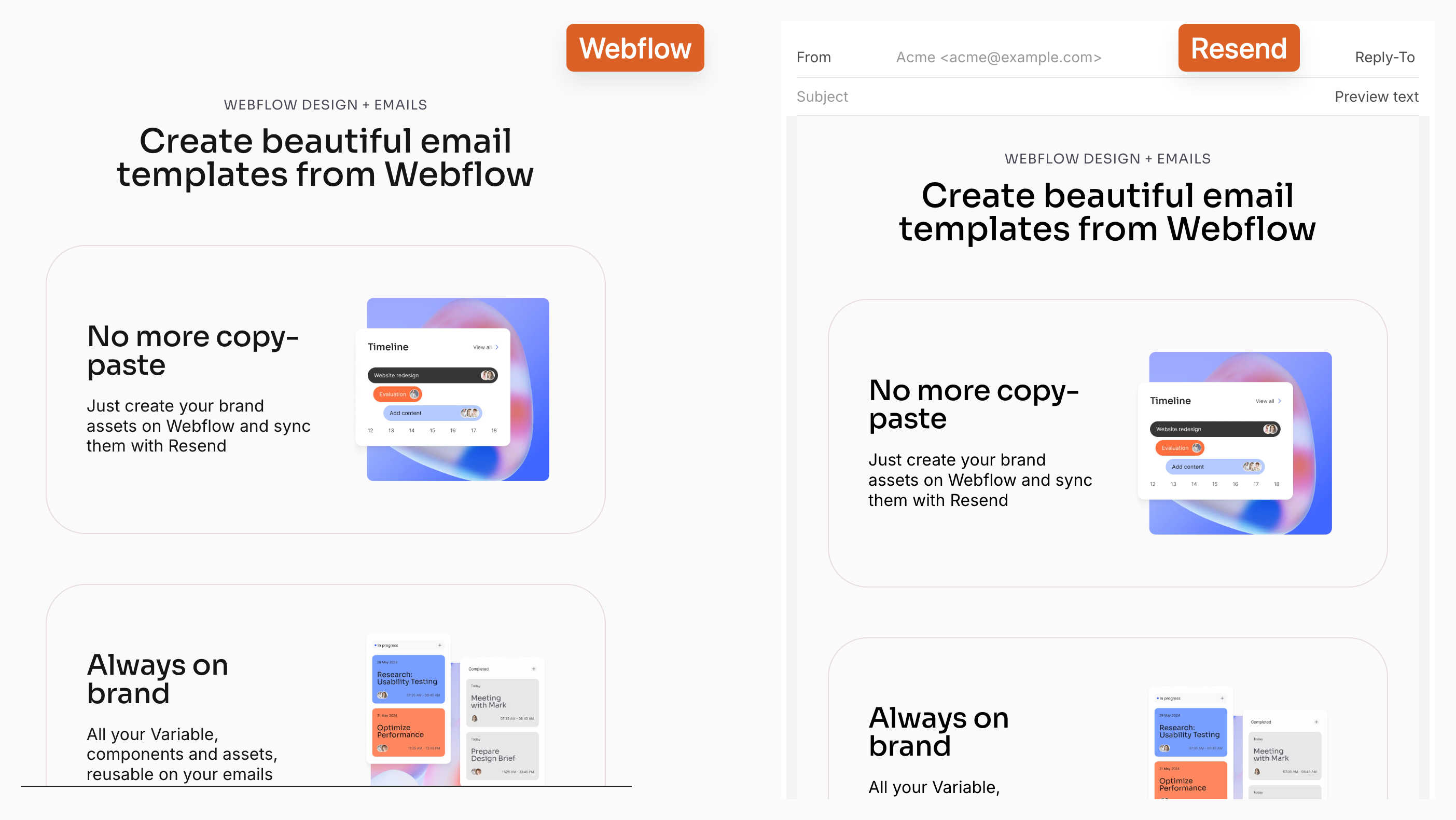
Most teams I work with have the same problem: the website and the emails look like they were made by different companies.
Not because the brand isn't documented. Because maintaining two design destinations is just friction. You update a color. You swap a logo. The email templates never catch up.
Email is still the highest-converting channel for most businesses I work with. The gap between effort and return is real. But the maintenance cost, especially for teams without a dedicated email developer, keeps the quality low.
I built a tool to fix my own version of this.
The actual problem
If you use Webflow, you already have a design system: your site. Variables, components, reusable styles, hosted assets. It's all there.
What didn't exist was a way to export it to an email provider.
So I built one.
How it works
The tool is a Webflow Designer Extension. You install it in your Designer sidebar, connect a Resend API key, and your Webflow site becomes the source of truth for all your email templates.
Create an email page in Webflow. Add a page, set the slug to start with email-, like email-welcome or email-newsletter. That prefix is how the app identifies which pages are templates.
Design at 600px. Email clients render at a fixed width. Build at 600px using your existing Webflow components, fonts, and design tokens. No separate tool, no Figma copy-paste.
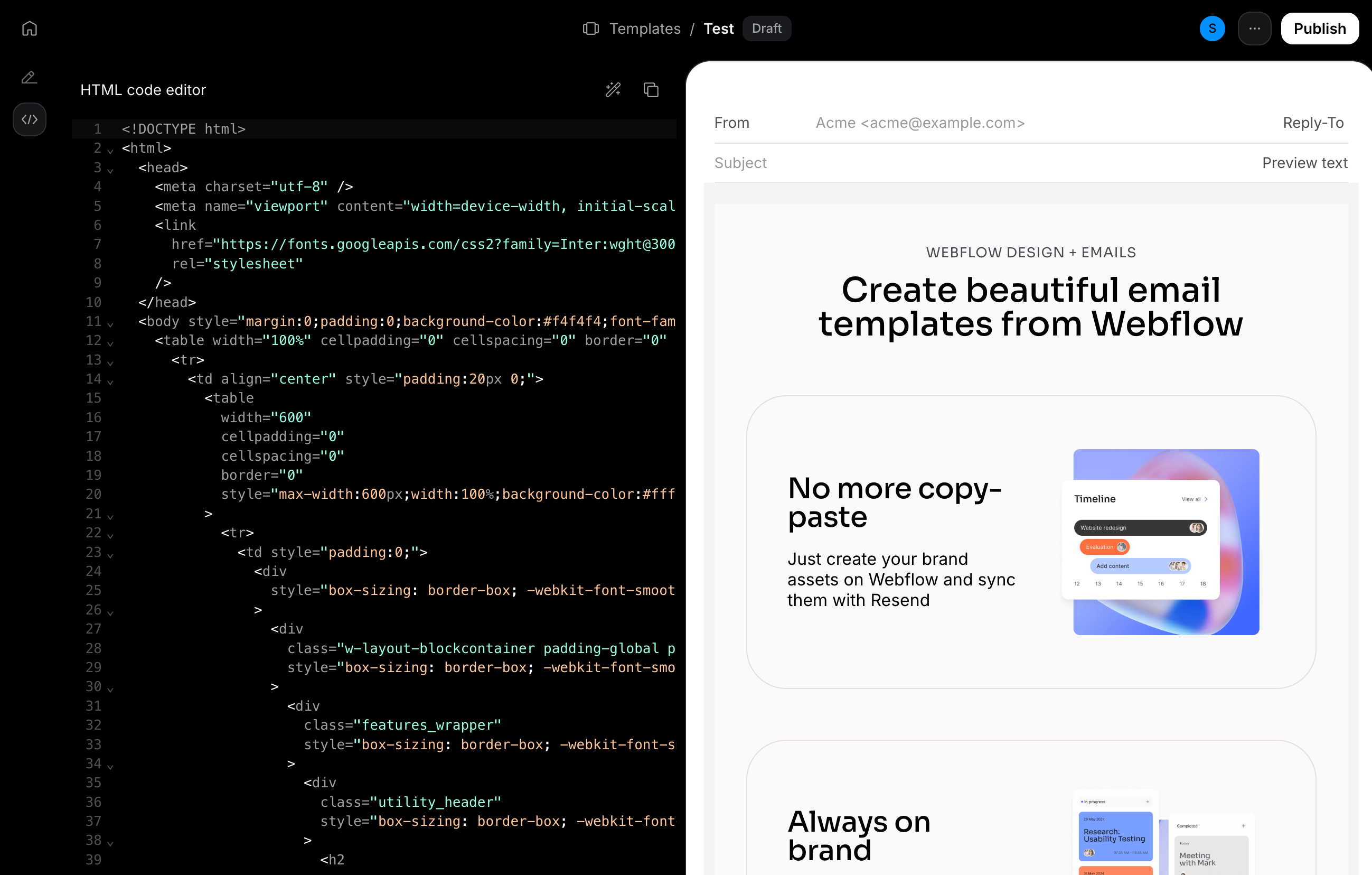
Sync. One click. The app fetches your live published HTML, runs a conversion pass, and pushes it to Resend as a named template. Here's what the conversion handles automatically:
- CSS variables resolved to actual values
remconverted topx(no email client understands rem)- Google Fonts preserved via
<link>tag in the email head - Relative links converted to absolute URLs
- Animation states reset so nothing renders invisible
- Webflow-specific markup stripped
Before you sync: the compatibility scan
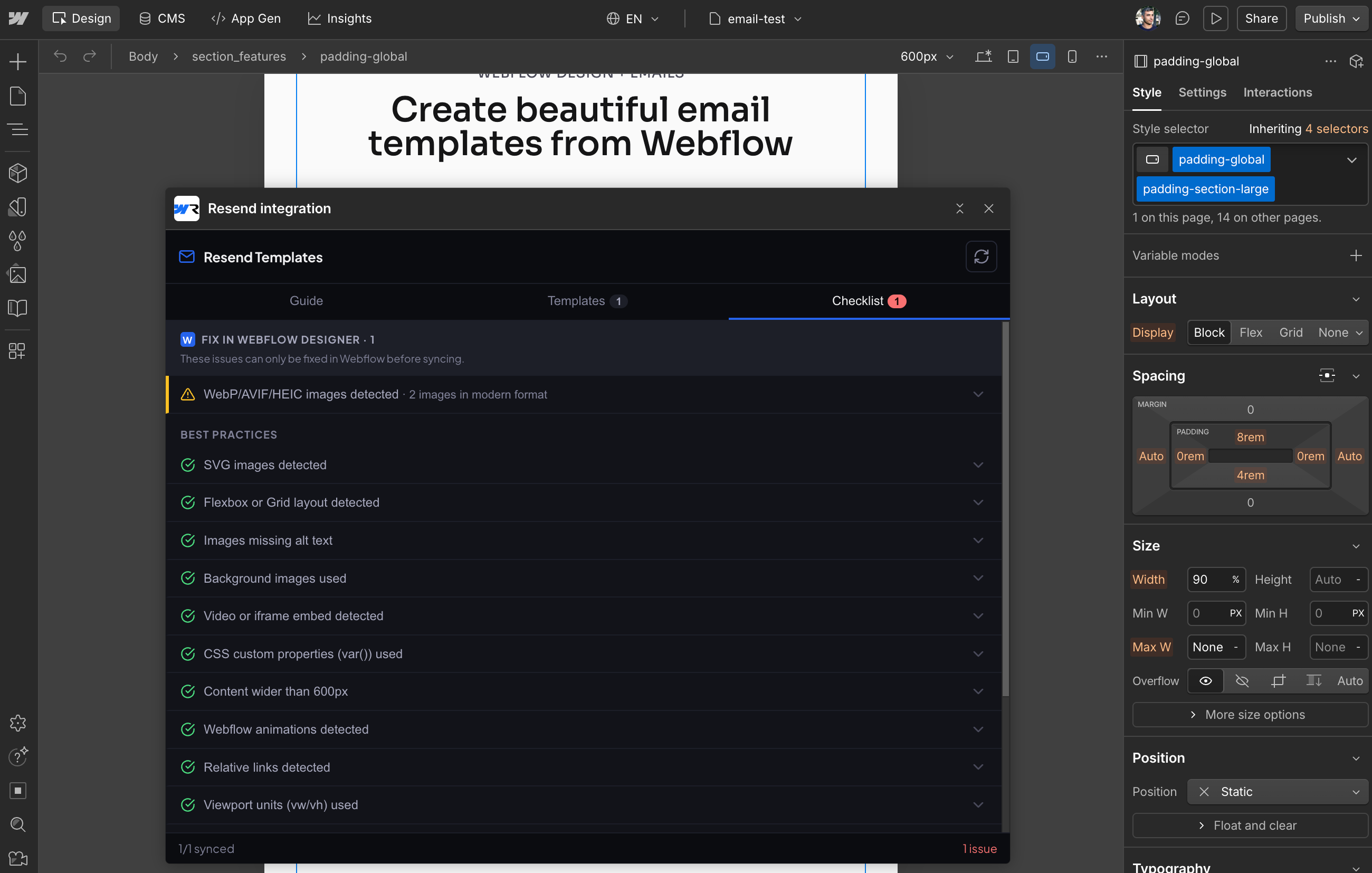
One click surfaces everything that could break in an email client before you push: SVG images, flexbox layouts, background images, viewport units.
Issues are split into what needs to be fixed in Webflow and what gets handled automatically. You're not debugging rendering after the fact. You catch it at the source.
Dynamic variables
For personalized emails, add {{double_braces}} directly in Webflow's text blocks: {{first_name}}, {{company}}, whatever you need. They pass through the sync unchanged. On the Resend side, you pass values at send time.
resend.emails.send({
  to: '[email protected]',
  from: '[email protected]',
  subject: 'Hey {{first_name}}',
  template_id: 'your-template-id',
  variables: { first_name: 'Alex', company: 'Acme' },
})
What to design around
This is a sync bridge, not an email builder. A few constraints worth knowing before you start rather than discovering mid-project:
- Flexbox and Grid break in Outlook. The app flags this, but it can't fix the layout. If Outlook support matters, start with table-based layouts.
- Animations don't exist in email. Any Webflow interaction gets stripped. Make sure nothing relies on an animation to become visible.
- Background images are ignored in Outlook. Use
<img>tags for anything every client needs to see. - SVGs don't render in most email clients. Export as PNG.
The scanner catches all of this before sync. The real benefit is designing around these constraints from the start, not reworking things after.
Why Resend
Resend is what I use for my own projects and clients. It's API-first, the documentation is honest, and delivery works properly out of the box: SPF, DKIM, DMARC handled without configuration theater. The free plan is 3,000 emails/month and 100/day, which covers most indie projects.
Webflow handles the design side. Resend handles delivery. The workflow mostly just gets out of the way.
What's next
The app is in beta. I'm running it on my own projects and with a few people who asked for early access, mostly to find what I missed before opening it up.
Two things are already settled: open source, and free. Not a free plan with a paywall after step three. Just free. The point is one less thing to maintain.
After that, the direction I want to go is audience management from Webflow. Design there, sync there, eventually manage the list there too. That's what I'm building toward.