Preparing Your Website for the Agentic Age in 15 Minutes
I ran the new Lighthouse agentic browsing audit on my site and braced for a big project. It took fifteen minutes. Here is exactly how to make your site agent-ready.
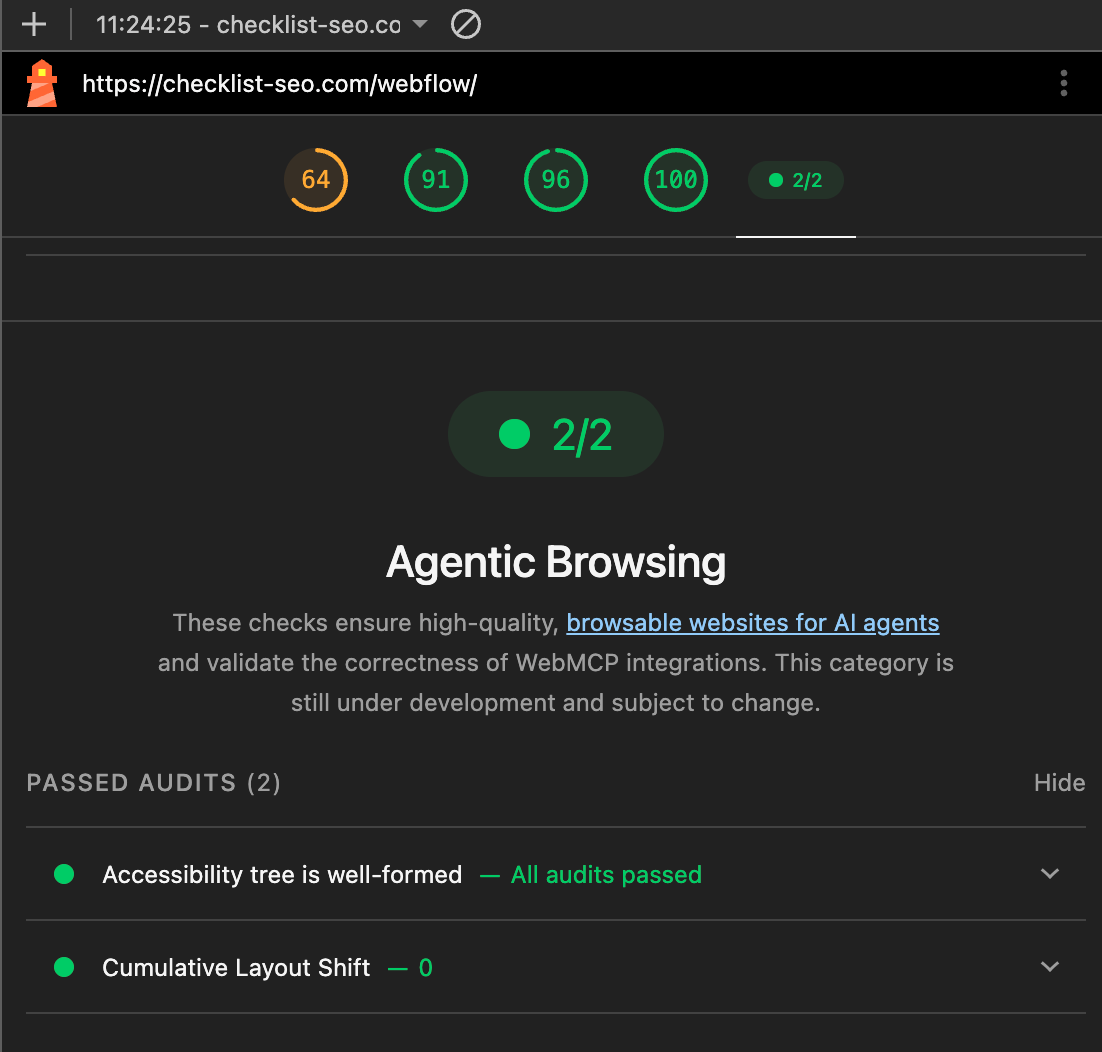
I ran the new Lighthouse agentic browsing audit on my own site expecting a verdict. Orange score.
If you've used Lighthouse, you know the feeling. An orange score is a small alarm. Some force stood up and told me: "stop everything important and fix this right now."
So I braced for a project. I cleared the afternoon.
It took only fifteen minutes.
That gap, between the dread I felt and the work it actually took, is the reason I'm writing this. The agentic age gets sold as a threat. Rebuild your site or get left behind. The reality is closer to a short checklist you can start today.
My site is built with Claude Code, which made one part of this faster. But most of what I'll show you works on any site, no-code included. You need one browser and thirty minutes if you do all of it.
Here is exactly what I did.
What "agent-ready" actually means
An agent reads your website the way a screen reader does. It doesn't care about your nice design and animation. It reads structure and context. It looks for what each element is, what it does, and how to act on it.
The agentic browsing audit checks for that. It runs a set of deterministic tests on whether a machine can understand your page and take action on it. Pass or fail, then a score. Google documents every check it runs, so nothing here is a mystery.
The reassuring part is that none of this is new. Semantic HTML, proper labels, a page that does not jump around while it loads. We have called this accessibility for twenty years. Agents just made it matter to people who ignored it.
So you are not learning a new discipline. You are doing the thing you were supposed to do anyway, and now there is a score that tells you where you stand.
See your own score in four clicks
Before you fix anything, look at where you are. It takes a minute.
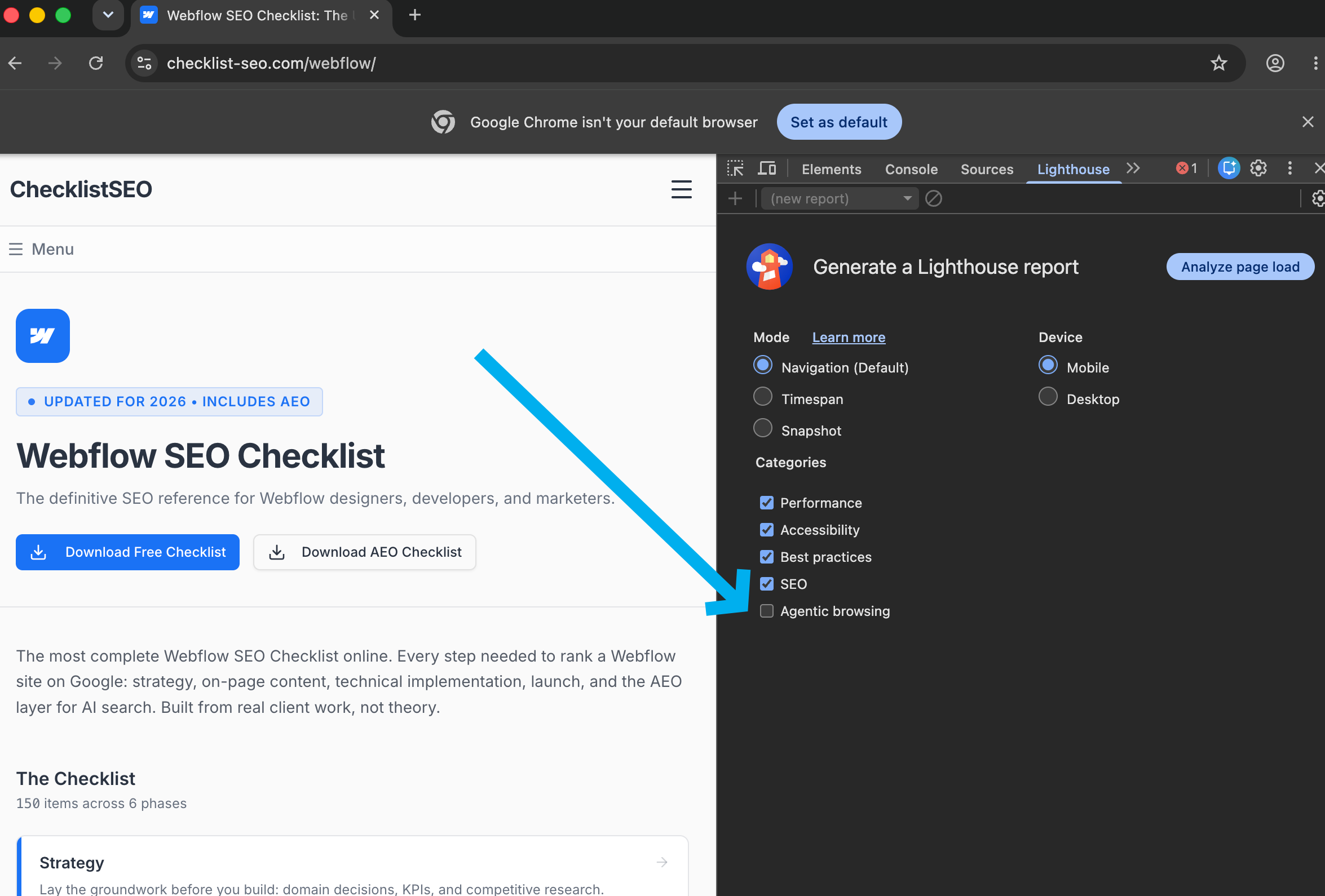
- Open your site in Chrome Canary.
- Open Lighthouse in the DevTools panel.
- Check the "Agentic browsing" box before you run it.
- Analyze.
You will get a score and a list of checks you passed and failed. Sit with the orange for a second. Then keep reading, because the list is shorter to fix than it looks.
The 15-minute fix, if your site is in code
My site is built with Claude Code, so I let the agent do the work.
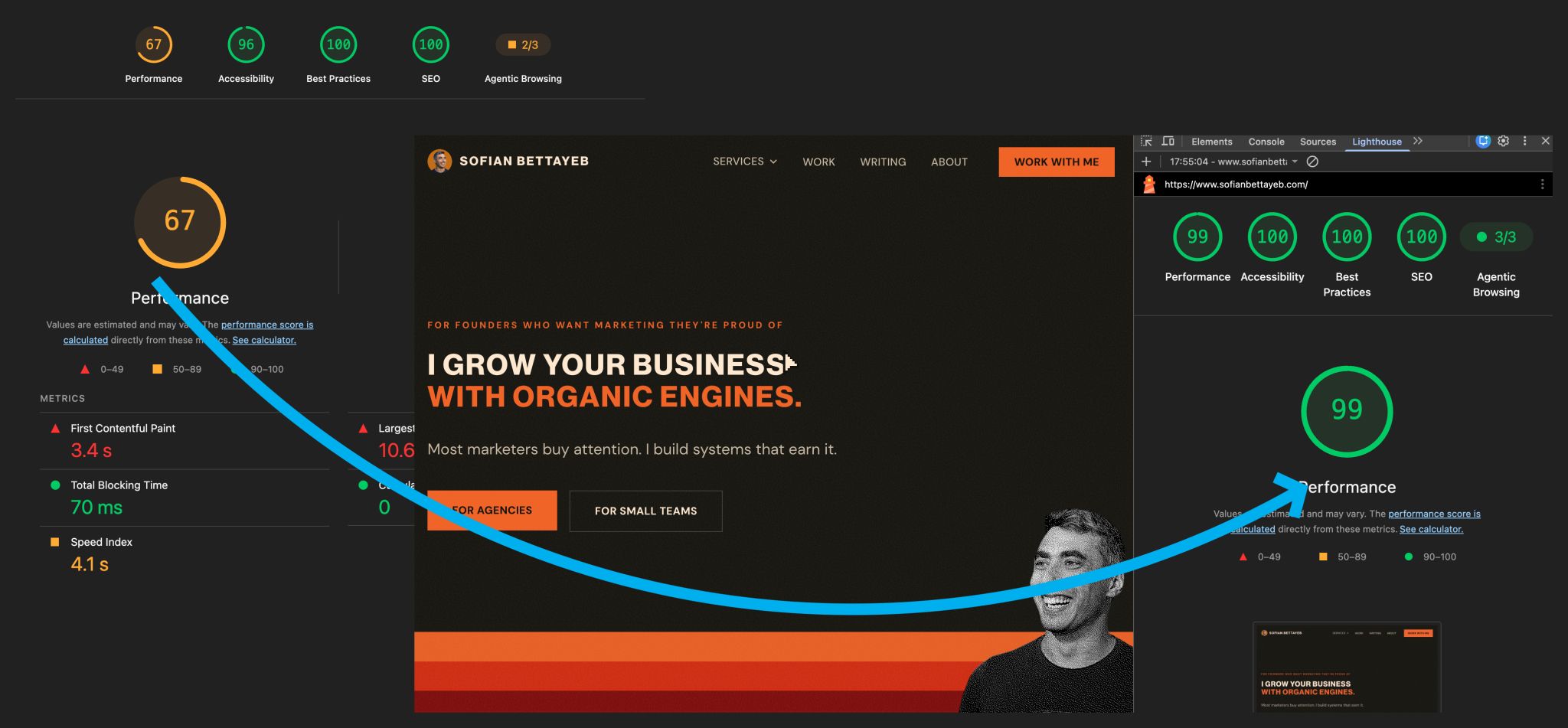
- Run the Lighthouse report on your site.
- Export it as an HTML file.
- Give Claude the report and access to your repo.
That is it. Claude reads the failing checks, finds the files, and fixes them. Missing labels, weak semantic structure, the small things that move a score. I reviewed the changes, ran the report again, and the orange was gone.
Fifteen minutes, most of it watching Claude do its magic.
Make your forms agent-actionable in five minutes
Reading a page is half the job. The other half is acting on it.
An agent can understand your contact form and still not know how to submit it. WebMCP fixes that. You describe the form to the agent in a small block of structured data, and it becomes a tool the agent can actually use.
Here is what that description looks like for a contact form:
{
  "name": "contact-form",
  "description": "A form to get in touch with me or my business",
  "inputSchema": {
    "type": "object",
    "properties": {
      "Name":    { "type": "string", "title": "full_name",     "description": "Add your full name" },
      "Email":   { "type": "string", "title": "email_address",  "description": "your email address" },
      "Message": { "type": "string", "title": "your_message",   "description": "your message" }
    },
    "required": ["Name", "Email", "Message"]
  }
}
You add this to your form. In Webflow it is an attribute, and it takes about five minutes. Three fields, one description, done.
I wrote a full walkthrough of the WebMCP setup, with a live demo you can poke at, here.
Once it is in place, an agent can find your form, read what each field wants, and fill it out. That is the difference between a website a machine can look at and one it can use.
The two things that future-proof your website
Tools will change. Canary will become stable. WebMCP will get easier. The names will shift. Two things underneath will not.
The first is semantic structure. Real headings, real labels, real button elements instead of styled divs. ARIA where it adds meaning. This is what lets any agent, today's or next year's, understand your page without guessing.
The second is stability. Cumulative Layout Shift is the technical name. In plain terms, your page should not move around while it loads. An agent identifies a button, reaches for it, and if an ad or a late image has shoved it down the page, the agent grabs the wrong thing. Hold your layout still.
Neither of these is tied to a browser version or a beta flag. Get them right and you are ready for whatever the agents look like in a year.
This is preparation, not panic
The agentic age rewards the same thing good websites always rewarded. Be legible. Be stable. Make it obvious what each thing is and how to use it.
You do not need to rebuild. You need to look at your score, fix the obvious things, describe your forms, and hold your layout still. Thirty minutes, spread across a browser and a few attributes.
I'm Sofian. I'm building AEO Copilot, an AI visibility tool for agencies and freelancers, in public. I write about what I learn while I build it, the parts that worked and the parts that didn't. If this was useful, that's the kind of thing I share.